YOUR RESTAURANT TEAM
The everyday details.
- Menu text and dish photos
- Sold-out items and availability
- Opening hours and special dates
- Ordering pauses and collection information
EVERY PART OF SERVICE. CONNECTED.
From the floor to the pass, Kosmo connects table management, staff ordering and kitchen preparation. Add customer ordering wherever it fits your service.
Built on table management and staff ordering tools battle-tested in a high-volume restaurant chain.
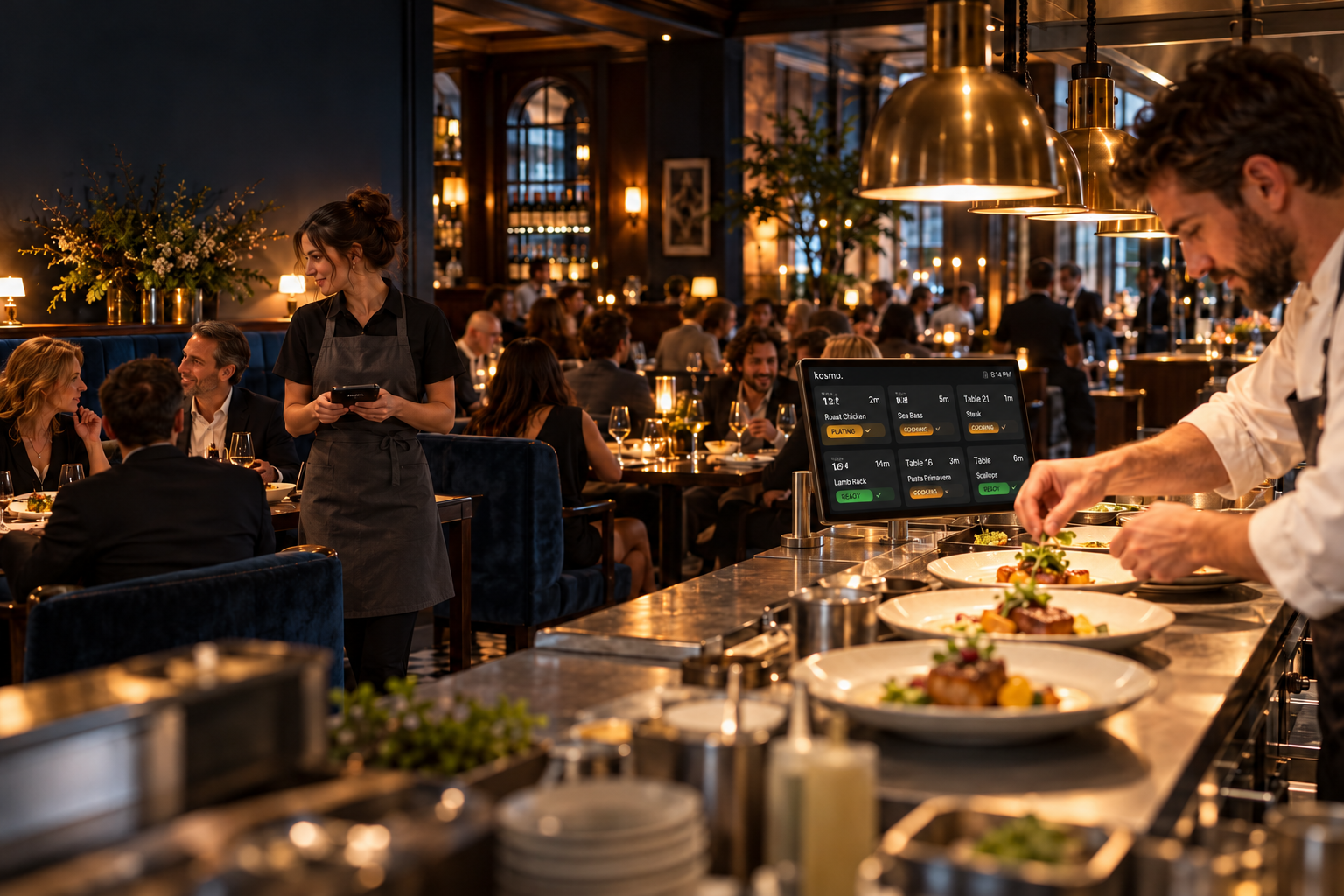
START WITH YOUR TEAM’S PRIORITIES
Explore the part of your restaurant you want to improve. See how it connects to the rest.
Give the floor a clear view of service and staff the tools to take the next order.
Explore front of house ↗CONFIGURABLE KITCHEN DISPLAYSShape kitchen displays around your stations, preparation flow and pass.
Explore the kitchen ↗AN ADDITIONAL ORDERING CHANNELAdd branded table or takeaway ordering alongside the way your team already works.
Explore customer ordering ↗Illustrative product views. Explore the working tools in your demo.
FRONT OF HOUSE
Table management and staff ordering are at the heart of Kosmo. Give servers and managers a shared picture of what’s happening, with ordering tools built for busy service.
BUILT THROUGH REAL SERVICE
Our table management and staff ordering tools have been battle-tested in a high-volume restaurant chain.
That operational foundation is the starting point for Kosmo—not an add-on to guest ordering.
YOUR KITCHEN, YOUR CONFIGURATION
Different roles. Different views. One connected preparation flow.
BACK OF HOUSE
Your stations and service rhythm shouldn’t have to fit a generic screen. Kosmo’s configurable kitchen tools support preparation, routing and handoff across the kitchen.
CUSTOMER ORDERING
Add branded table and takeaway ordering where it helps your restaurant. Guests can browse and order through a link or QR code, alongside staff-led service.
Your team keeps menu text, photos, availability and hours current. Kosmo manages the branding, layout and wider configuration.
Show me customer ordering ↗AN EXTENSION OF YOUR RESTAURANT
Table ordering · Takeaway collection
Guest menu updates · Order progress
Customer ordering is an optional part of the conversation. Start with your operational priorities.
CONNECTED TOOLS. MANAGED SUPPORT.
We work with you on configuration and support, while your team handles everyday service. For branded customer ordering, the responsibilities are clear.
YOUR RESTAURANT TEAM
YOUR KOSMO TEAM
Need a managed change? Send a request from your panel.
FROM THE FLOOR TO THE PASS
Explore how Kosmo connects ordering, kitchen preparation and front-of-house visibility in one workflow.
Staff take the order, or guests use your optional customer ordering channel.
The kitchen tracks items through preparation and readiness.
Front of house sees progress and orders ready for handoff.
See the connected workflow in a demo. We’ll discuss your operational requirements and integration needs.
GETTING STARTED
Your locations, service pressures and the part of your operation you want to improve.
We review table workflows, staff devices, kitchen configuration and any customer ordering needs.
Walk through the everyday controls and agree the next steps with us.
A FEW USEFUL ANSWERS
No. Table management, staff ordering and configurable kitchen displays form the operational core. Customer ordering is an additional channel.
No. Kosmo provides a branded ordering experience you can link to from your existing website. It is focused on ordering, rather than being a general website builder.
Menu text and photos, item availability, opening hours, special dates, temporary pauses and collection information. Kosmo manages branding, layout, pricing and structural changes.
Yes. Both flows are available in the current product, with separate service hours and ordering controls.
Locations have their own menus, service settings and operational connections under your restaurant or group account. We’ll review the setup your locations need during the demo.
Live payments and production POS integrations are not enabled in the current early-access build. Tell us what you use so we can discuss requirements and fit before you make a decision.
We’ll discuss scope and pricing with you based on your locations and setup needs. There’s no payment or commitment required to request a demo.
LET’S TALK ABOUT YOUR RESTAURANT
Book a walkthrough focused on your floor, your kitchen or your customer ordering experience.
A conversation about your operation, with no commitment.